

Introduction
Search Engine Optimization (SEO) improves your website’s visibility on search engines. This framework provides built-in tools to manage metadata and structured data (JSON-LD) dynamically. You maintain high standards for search performance with minimal effort. You focus on creating content, and the framework handles the technical optimization for search engines.Objectives
- Automate Metadata: Generate titles, descriptions, and Open Graph tags from your content.
- Implement Structured Data: Use JSON-LD to help search engines understand your site’s structure.
- Ensure Performance: Keep SEO implementations lightweight and fast.
Metadata Generation
Next.js uses thegenerateMetadata function to handle SEO metadata. This framework includes a utility function, metaDataGenerator, to streamline this process.
How it Works
ThemetaDataGenerator function takes a Page object and a list of Parameters as input. It returns a Metadata object compliant with Next.js standards.
You find this implementation in the page files:
src/app/(pages)/[...slug]/page.tsx.src/app/page.tsx.
The Data Source
ThePage object contains an seo property with fields like:
metaTitle: The title tag.metaDescription: The meta description.canonicalURL: The canonical link.metaImage: Social media preview image.structuredData: JSON-LD data configuration.
metaDataGenerator maps these fields to the correct Next.js metadata properties, including Open Graph and Twitter Card settings.
Google Site Verification
You can easily verify your site with Google Search Console using the global parameters system. To add the verification tag, you simply need to create a parameter in the Littlebox Strapi Suite with the following details:- UID:
google-site-verification - Value: The verification string provided by Google (usually a long alphanumeric string).
Google Analytics
You can easily integrate Google Analytics into your application using the global parameters system. To add the tracking ID, you simply need to create a parameter in the Littlebox Strapi Suite with the following details:- UID:
google-analytics-id - Value: Your Google Analytics tracking ID (usually starting with
G-).
JSON-LD and Structured Data
JSON-LD (JavaScript Object Notation for Linked Data) helps search engines understand the content and context of your pages. It allows for “Rich Snippets” in search results, such as FAQs, breadcrumbs, or product details. This framework provides ready-to-use components to inject JSON-LD into your pages.Advantages
- Better Understanding: Search engines interpret your content type (e.g., Article, Product, FAQ) accurately.
- Rich Results: Increases the chance of displaying enhanced listings in search results.
- Easy Integration: You drop in a component, and the framework handles the script generation.
Available Components
BaseJsonLd
TheBaseJsonLd component handles general page structured data. It dynamically replaces placeholders like [META_TITLE] with actual content from the SEO fields.
This component requires the SEO plugin to be installed in Strapi. Read the Install Strapi SEO section to learn how to install the plugin.
Usage:
This component is inserted into pages automatically, so there is no need to implement it. See the base files for the implementation:
src/app/(pages)/[...slug]/page.tsx.src/app/page.tsx.
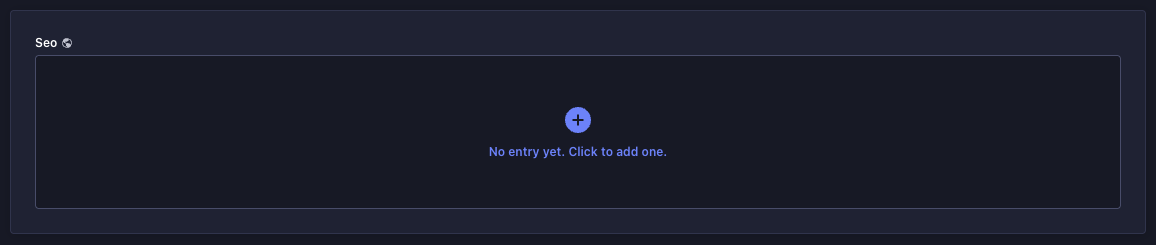
Content-Type Builder, the document will now have the option to add SEO:
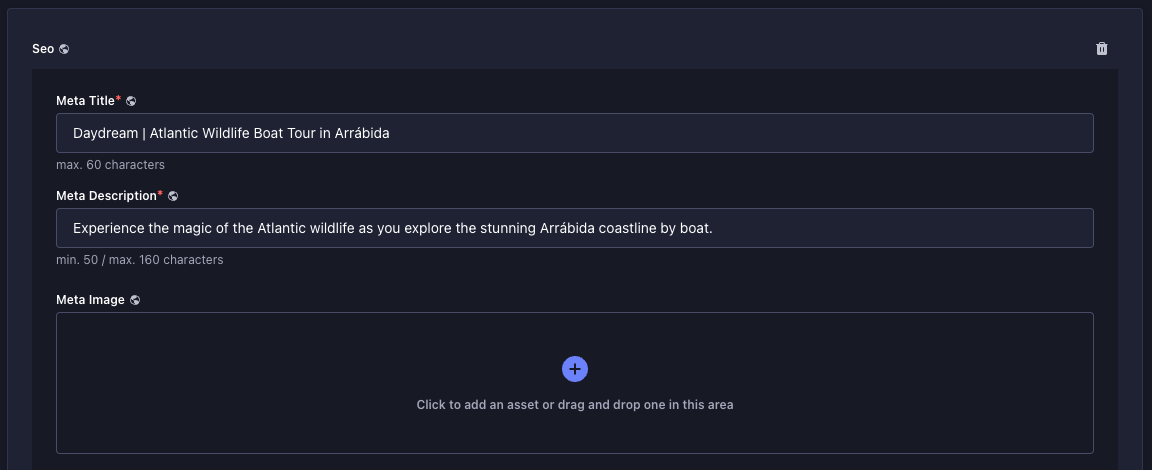
title and description, the component has another important field, Structured Data. This field must be filled in with valid JSON LD:
[META_TITLE][META_DESCRIPTION][CANONICAL_URL][META_IMAGE]
src/app/core/components/base-jsonld.tsx, it will automatically replace these tags with values previously filled in the SEO plugin.
BaseBreadcrumbJsonLd
TheBaseBreadcrumbJsonLd component generates a BreadcrumbList schema. This helps search engines understand the site hierarchy and display breadcrumb navigation in search results.
Usage:
This component is inserted into pages automatically, so there is no need to implement it. See the base files for the implementation:
src/app/(pages)/[...slug]/page.tsx.src/app/page.tsx.
BaseFaqsJsonLd
TheBaseFaqsJsonLd component creates an FAQPage schema. Use this for pages that contain a list of frequently asked questions.
Usage:
This component should be inserted into pages containing FAQs.