

Add a custom field
You can add a custom field to any collection type, single type or component. Step 1: Access the Strapi admin panel.Step 2: Go to the Content-Type Builder.
Step 3: Select the collection type, single type or component you want to change.
Step 4: Click “Add another field”.
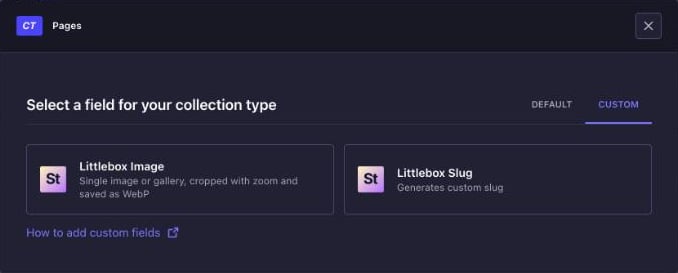
Step 5: Go to the Custom tab.
Step 6: Select “Littlebox Image” or “Littlebox Slug”.
Step 8: Click “Finish”, then click “Save”. Strapi restarts to apply the change. The field then appears in the Content Manager for every document of that type.
You can arrange custom fields in tabs, just like Strapi’s own fields.
Littlebox Image
Add single images and galleries, cropped with zoom and saved as WebP.
Littlebox Slug
Give every document a clean URL built from its title.