

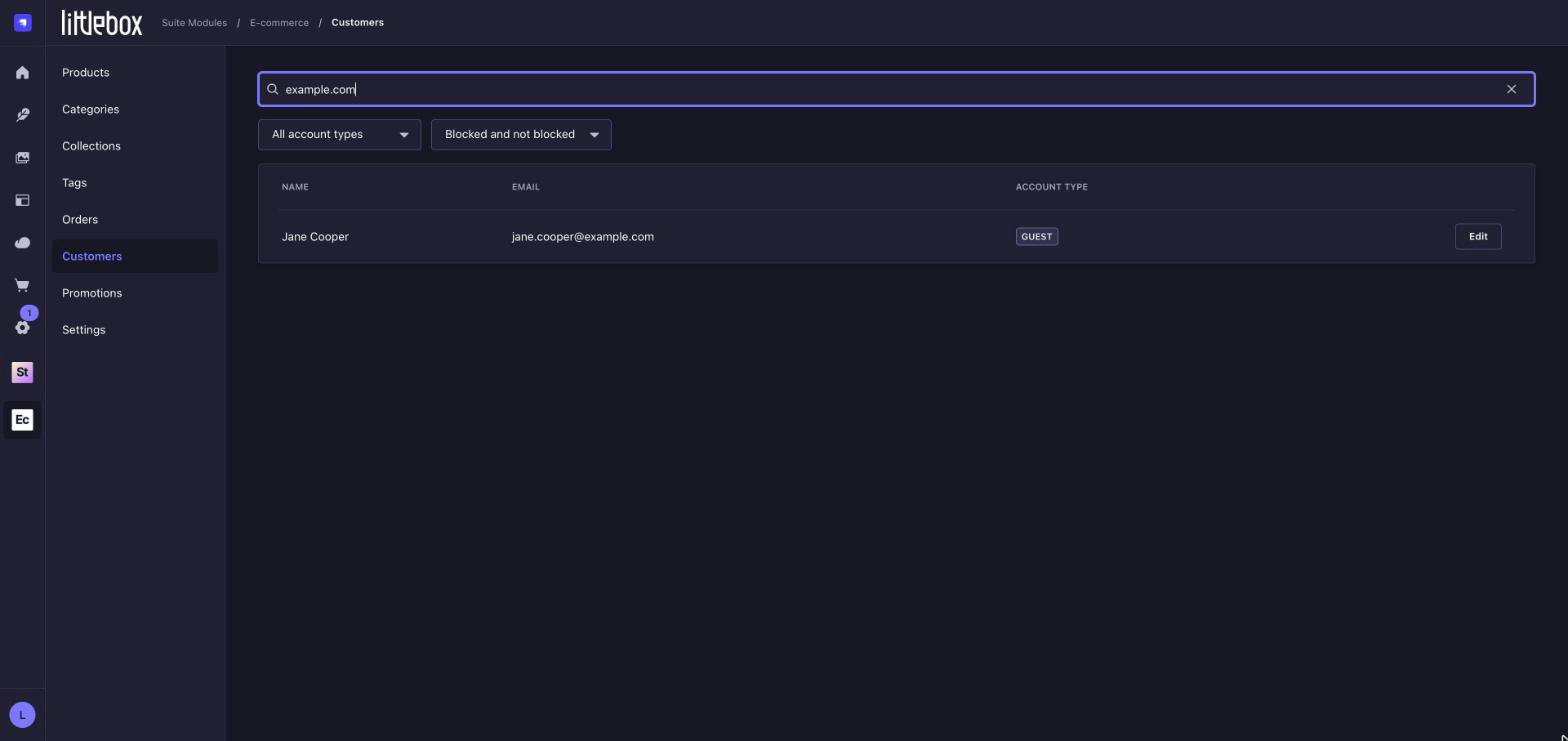
- Guest: bought without an account.
- Registered: has an account, with “E-mail verified” or “E-mail not verified”.
- Blocked: cannot sign in or buy.
Customer record
Click “Edit” on a customer.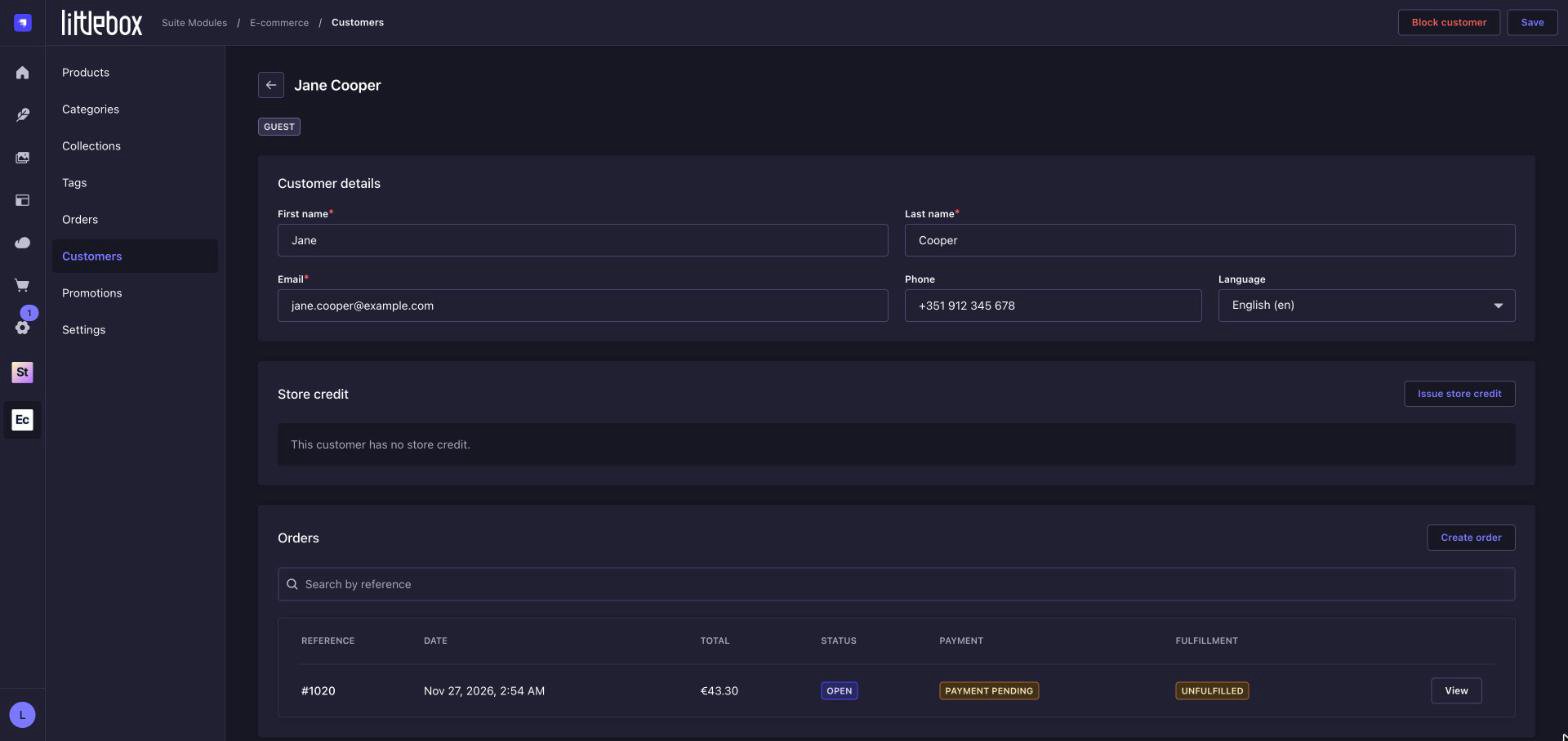
The “First name”, “Last name”, “Email”, “Phone” and “Language” (the language of the e-mails). Click “Save” to keep your changes. Store credit
A store credit is a code with a balance that the customer spends on future orders, like a gift card that only works with their e-mail.
- Click “Issue store credit”, fill in the “Amount”, the “Valid until” date and the optional “Conditions”, and click “Issue”. The customer receives the code by e-mail.
- Click “Edit” on a credit to change its total value, expiry or conditions. The total cannot be lower than what was already used. The customer is e-mailed the new data.
- Click “Void” to write off the remaining balance. The code stops working. This cannot be undone.
- Each credit shows its status: “Active”, “Used”, “Expired” or “Void”.
The orders of this customer, with the reference, date, total and statuses. Click “Create order” to start an order for this customer. Activity log
See Activity log.
Block and unblock
Step 1: Click “Block customer”.Step 2: Optionally, type an “Internal note” (up to 1000 characters, only visible in the admin).
Step 3: Click “Block customer”. While blocked, the customer:
- cannot log in;
- cannot register again with this e-mail;
- cannot recover their password;
- cannot place new orders, in the store or through an administrator.
Change password
For a registered customer who is not blocked, click “Change password”. Type the “New password” twice and click “Change password”. It needs 10 to 128 characters and cannot be the customer’s e-mail. All the customer’s sessions end, and they must log in again.Activity log
The last section of the customer record lists what happened on the account: registrations, logins and failed logins (with the reason, such as “Wrong password”), logouts, ended sessions, orders placed, password and e-mail changes, detail changes, blocks and unblocks.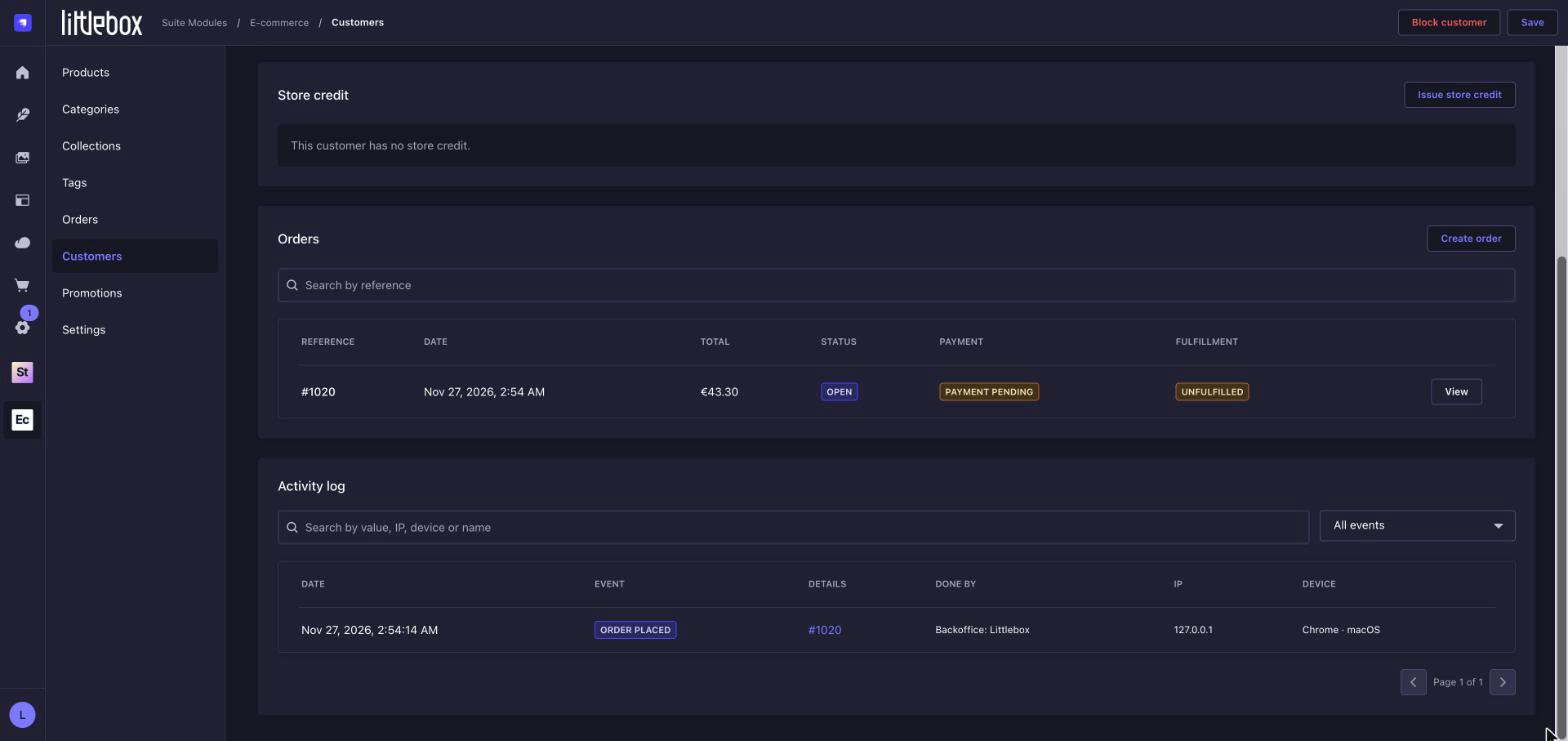
- Customer: the customer, signed in.
- Not signed in: someone on the storefront without a session, for example a failed login.
- Backoffice: an administrator, by name.
- System: the module itself.